Changelog

Follow new updates and improvements to Juristic.

March 27th, 2026

We’ve upgraded the “click to add” experience on structure handles to make building diagrams faster and more intuitive.

You can now preview nodes before placing them, giving you a clearer sense of how your structure will evolve as you build.

We’ve also added a new shortcut: hold ⇧ Shift while adding to automatically create a herringbone layout, instead of the default fan layout. This makes it much easier to build more structured, hierarchical views in fewer clicks.

A small change—but one that should make a big difference when mapping out complex structures.

March 27th, 2026

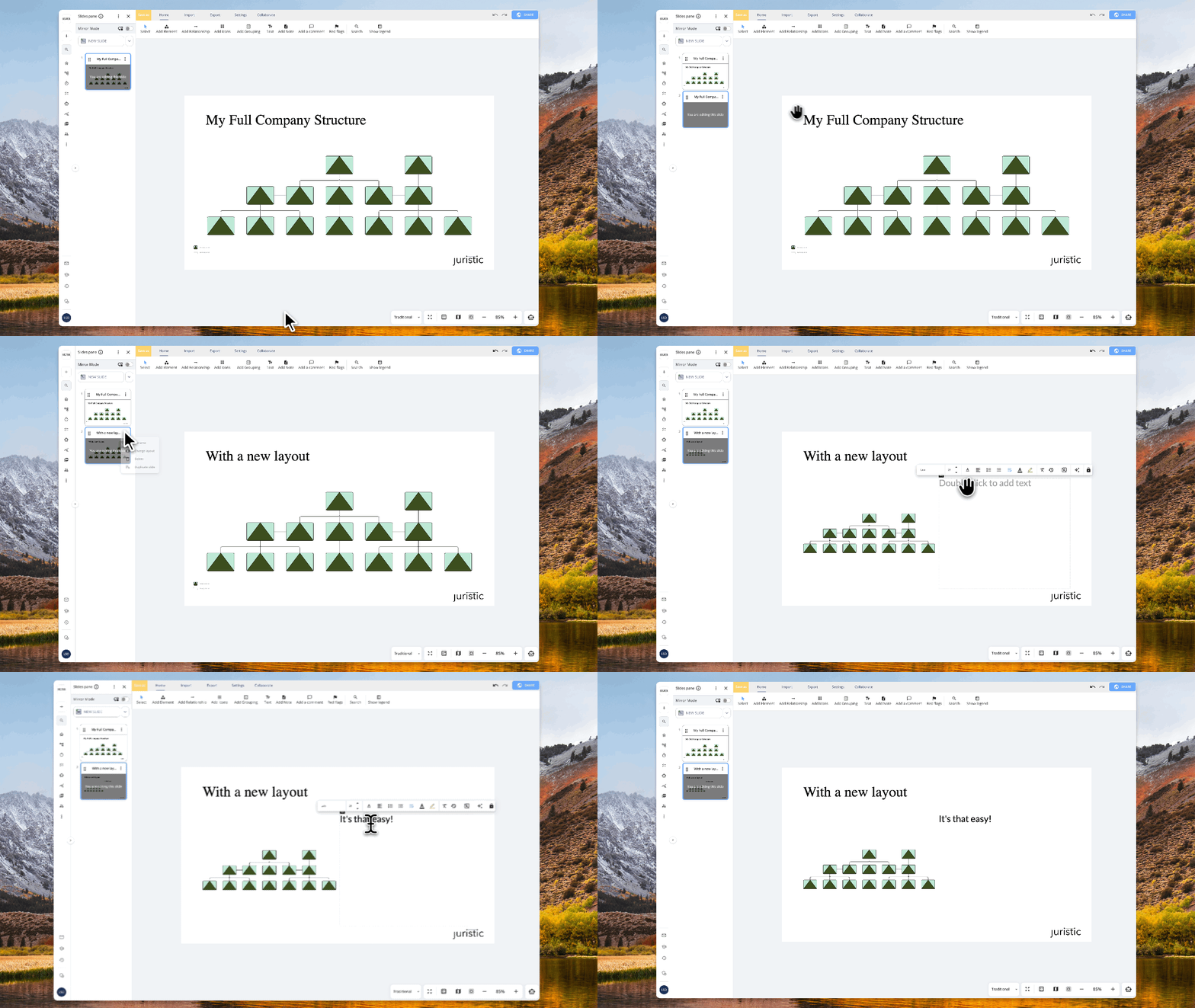
Select a section of your legal structure, and turn it into a presentation slide — right from the canvas.

When you're working on a complex group chart or legal structure in Structure, you often need to present just a piece of it — a specific subsidiary chain, a single holding layer, or one part of a reorganisation. Until now, that meant recreating it manually in PowerPoint or screenshotting and cropping.

Now you can simply select the part of your diagram you want, right-click, and create a new slide from that selection. Juristic generates a clean, properly formatted slide with just the selected entities and connections — ready to drop into a client presentation, a board memo, or an internal review deck.

No more rebuilding what you've already built. Structure it once, present any part of it instantly.

This is available now for all Structure users.

March 23rd, 2026

Import any spreadsheet into your board — no template required.

We've heard it from many of you: you love exporting and importing from Flow, but you wished you could bring in data from any Excel file — not just ones exported from Juristic. Today, that's live.

When you open the Import modal and select Excel, you'll now see two options: "From Juristic export" (the existing strict import) and "From any Excel file." Choose the latter, upload your .xlsx or .xls, and Juristic takes it from there.

The system automatically detects the real header row — skipping merged title rows and blanks — and pulls sample data so you can see exactly what you're importing. From there, a visual column mapping screen lets you match each Excel column to a board column, create new columns on the fly, or skip columns you don't need. Columns with matching names are auto-mapped instantly, duplicate mappings are prevented, and type validation warns you before import if something looks off (like text heading into a number column).

Pick which task group to import into — or create a new one — hit Import, and you're done.

This is available now for all Flow users.

March 23rd, 2026

See your tasks on a timeline — and overlay your own calendar to plan around what's already booked.

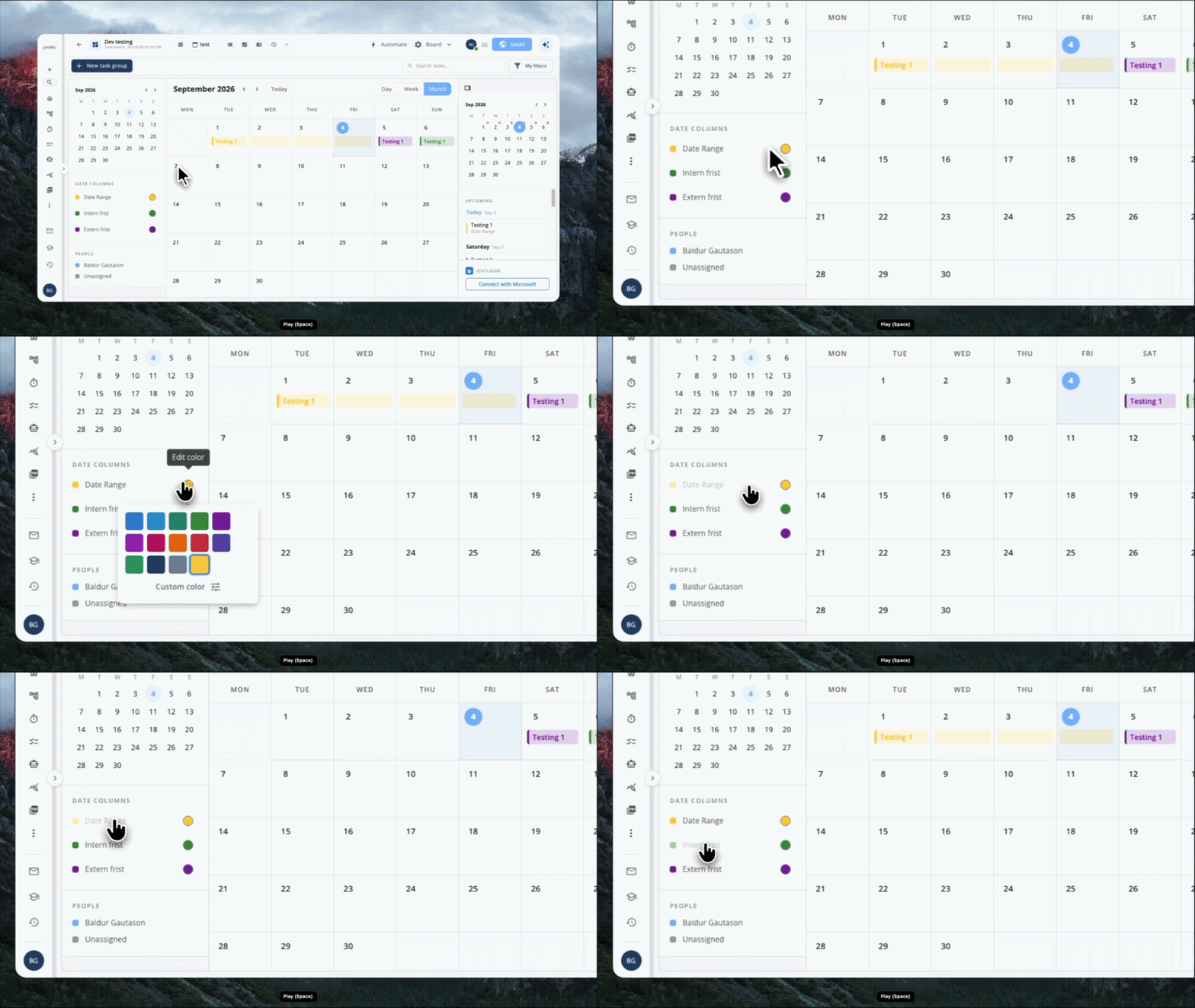
Flow now has a Calendar View. Switch to it from any board and your tasks are laid out by date, giving you a clear picture of what's coming up, what's due, and where the gaps are.

But we didn't stop at tasks. You can connect your personal or work calendar directly inside the app, and your events appear alongside your tasks in the same view. No more switching between your calendar and your project board to figure out when you actually have time to get things done.

Drag tasks to reschedule them, see overlapping deadlines at a glance, and plan your week with everything in one place.

This is available now for all Flow users.

March 20th, 2026

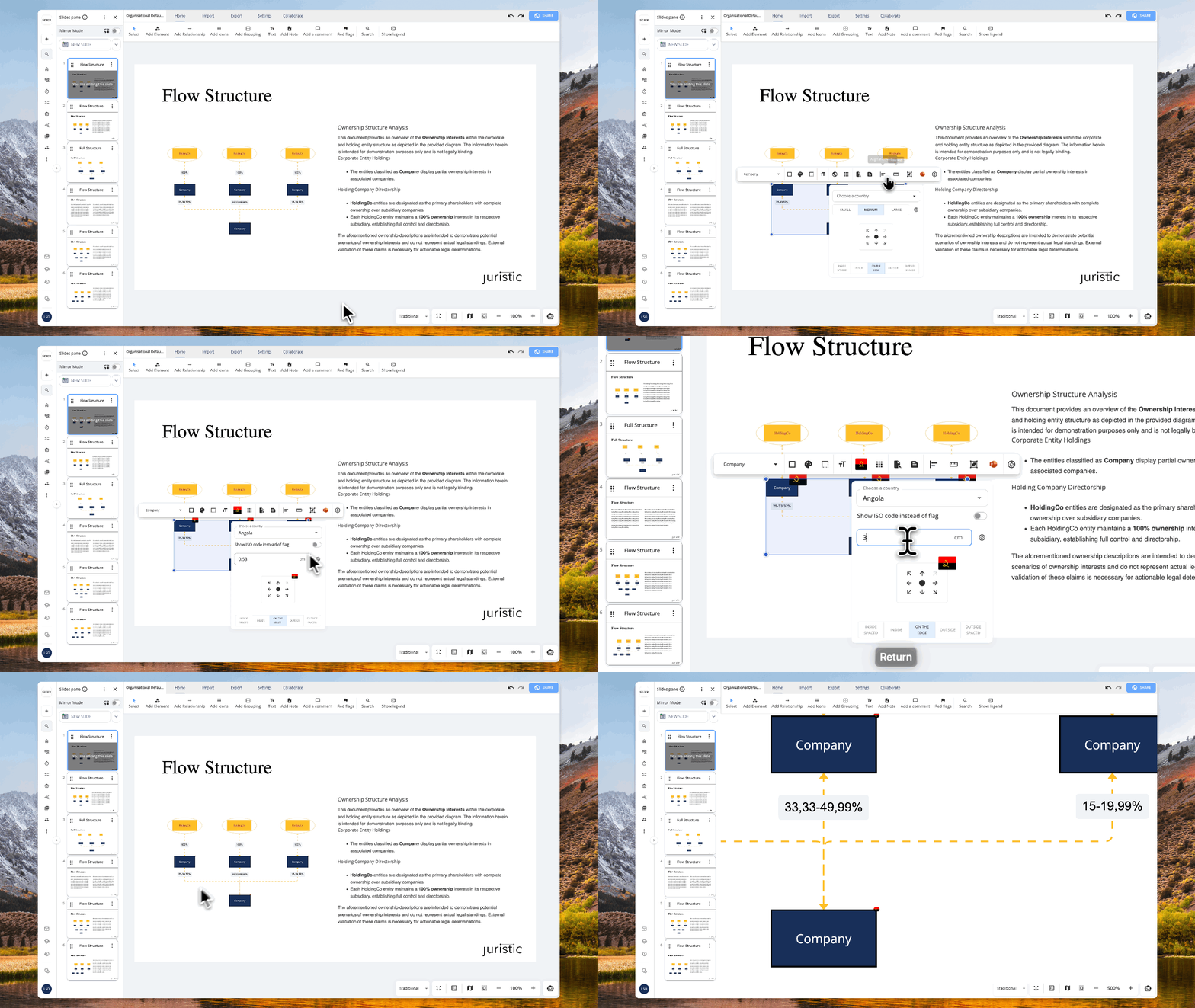
We’ve introduced a new set of shapes in the Structure Tool, along with improvements to PowerPoint compatibility.

The new shapes expand the available visual language for representing structures and relationships, while enhancements to PowerPoint export ensure greater consistency between the Structure Tool and presentation outputs.

What’s new

New shape types

  • Rectangles with cross markers (standard and rounded)

  • Rectangles with arrows (up and down) with:

    • Two-tone styling

  • Ovals combined with:

    • Upward and downward triangles

    • Cross markers

    • Inner rectangle

  • Triangles combined with ovals

Improvements

  • Improved compatibility with PowerPoint

  • More accurate rendering of shapes in exported slides

This update enhances both diagram flexibility and presentation quality, ensuring a more consistent experience from creation to export.

Going live tomorrow, 21st, March

March 19th, 2026

When text exceeds the available space in a textbox, you are now prompted with options on how to handle the overflow.

You can choose to continue the content on a new slide or allow the text to overflow within the current slide. This provides greater control over layout and ensures content can be managed without manual adjustments.

What’s new

  • Prompt appears when text exceeds available space

  • Option to create a new slide automatically

  • Option to allow text overflow within the current slide

This update helps maintain presentation structure while giving flexibility in how content is displayed.

Going live:

The feature will be available tomorrow, March 20, 2026.

March 10th, 2026

Don’t like the information we show you by default? Now you can change it.

You can now control which columns appear in table views. Using the View Columns menu in the top-right of the table, simply check or uncheck the fields you want to see — such as Title, Description, Case, or Tags.

This allows you to tailor the table to your workflow, hide unnecessary information, and focus only on the data that matters to you.

March 9th, 2026

We've introduced a comprehensive set of updates to JuristIQ, delivering a refreshed interface, new productivity features, and improved overall performance across the chat experience.

  • Redesigned chat experience — JuristIQ now features a completely refreshed interface with a cleaner layout, smoother interactions, and improved readability throughout the conversation flow. The new design makes it easier to focus on the substance of your research without changing existing workflows.

  • Inline source citations — When JuristIQ references a source in its answer, you can now preview the citation directly within the conversation by hovering over it. This reduces the need to navigate away and makes it faster to verify references.

  • Smart follow-up suggestions — After receiving an answer, JuristIQ now presents relevant follow-up questions you can select to continue the conversation. This helps guide deeper exploration of a topic and surfaces angles you may not have considered.

  • Quick commands — Type "/" in the input field to access a list of shortcuts for common actions, making it faster to get started with frequent tasks.

  • Recent conversations on the welcome screen — Your most recent conversations are now displayed when you open JuristIQ, allowing you to resume previous work immediately.

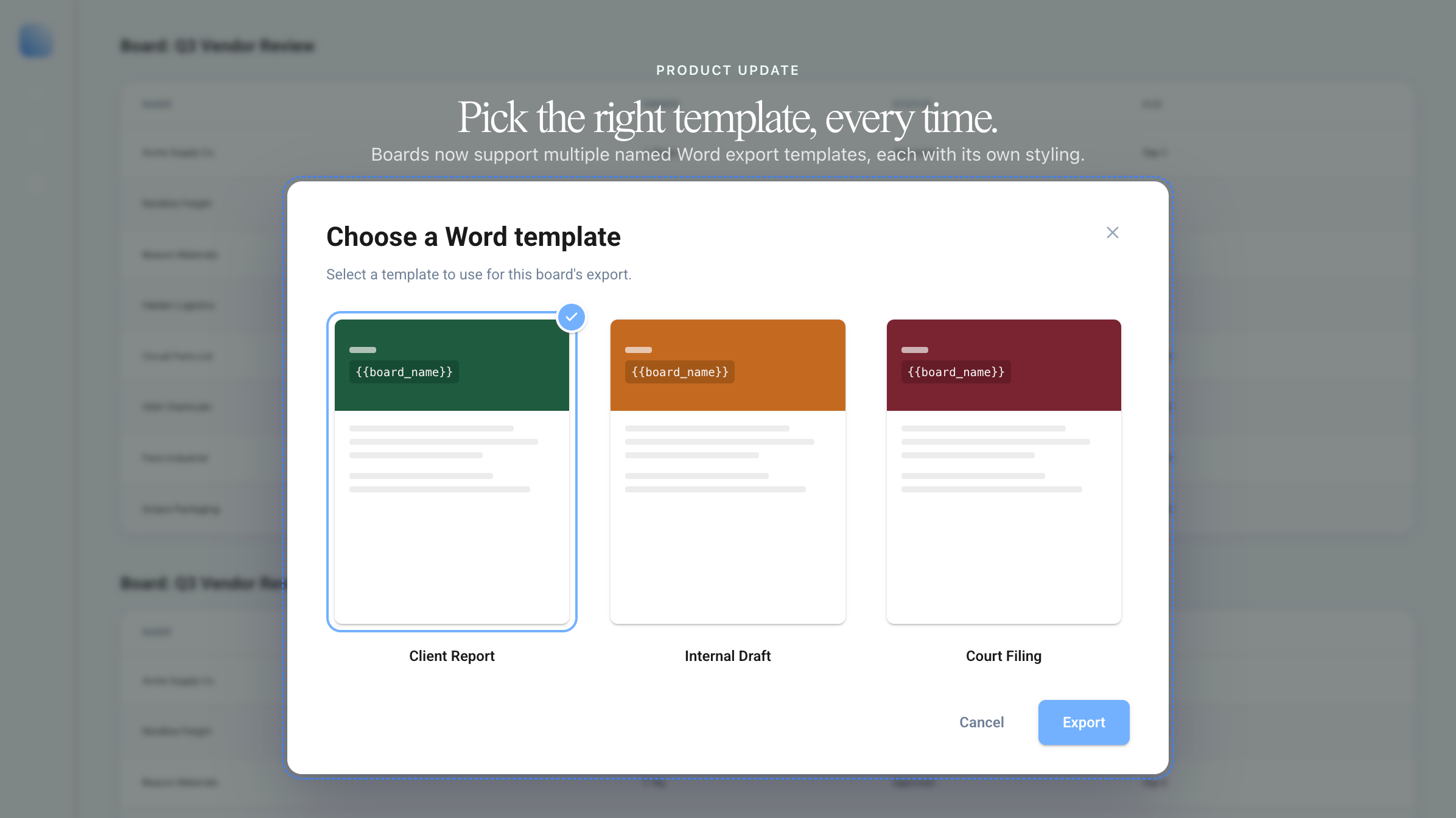
  • Export chat to Word — You can now download an entire conversation — or individual question-and-answer pairs — as a Word document directly from the chat toolbar. This makes it straightforward to share research findings or include AI-assisted analysis in memos and deliverables.

  • Thinking indicator — When JuristIQ is processing a complex question, a live indicator now shows that it is actively reasoning through your query, providing greater transparency and clearer expectations around response times.

  • Connection browser — A new searchable tree view allows you to browse and attach relevant workspaces, timelines, and other materials to your conversation. By providing JuristIQ with the right context, you receive more accurate and relevant answers tailored to the matter at hand.

  • Chat sidebar — A new sidebar provides quick access to your chat history, the ability to start a new conversation, and options to export your current chat — all without leaving the interface.

  • Group-level prompts — Administrators can now configure AI instructions scoped to specific groups, allowing tailored guidance for different teams or practice areas. This makes it possible to align JuristIQ's behaviour with the conventions and focus areas of individual departments.

  • Faster conversation loading — Opening existing conversations is now smoother with improved loading states and reduced visual disruption.

  • Improved answer streaming — Responses now appear more naturally as they are generated, without layout shifts or visual inconsistencies.

  • Refined attachment display — Documents and workspaces attached to a conversation are now shown as compact indicators within the input area, with an expand/collapse option to conserve space.

March 9th, 2026

We’ve expanded the admin panel with several new features designed to give administrators more control, flexibility, and consistency across the workspace. Admins can now decide whether users are allowed to create groups, customize the initials shown for users, configure default AI drawing behavior, and define retention policies directly from the admin settings.

These improvements make it easier to shape how your workspace operates. By controlling group creation, admins can maintain clearer structures and avoid unnecessary fragmentation. Customizing user initials helps keep interfaces clean and recognizable, especially in collaborative environments. Default AI drawing settings ensure that AI-generated content behaves consistently across your organization, while retention policies help teams manage information responsibly and stay aligned with internal governance or compliance requirements.

Together, these updates make the admin panel a more powerful hub for managing your workspace—helping administrators keep things organized, predictable, and aligned with company policies while still giving teams the tools they need to work efficiently. ⚙️🚀

February 25th, 2026

The Structure relationship toolbar has been updated to display relationships exactly as they will appear on the canvas.

Relationship previews now reflect their full styling, including colors, line types, and end markers, directly in the toolbar. This provides a more accurate selection experience and reduces the need for adjustments after placement.

What’s improved

  • Relationship styles shown with correct colors

  • Accurate display of line types (curved, steps, etc.)

  • End markers and visual details reflected in previews

This update improves clarity and consistency when selecting relationships, while keeping existing functionality unchanged.