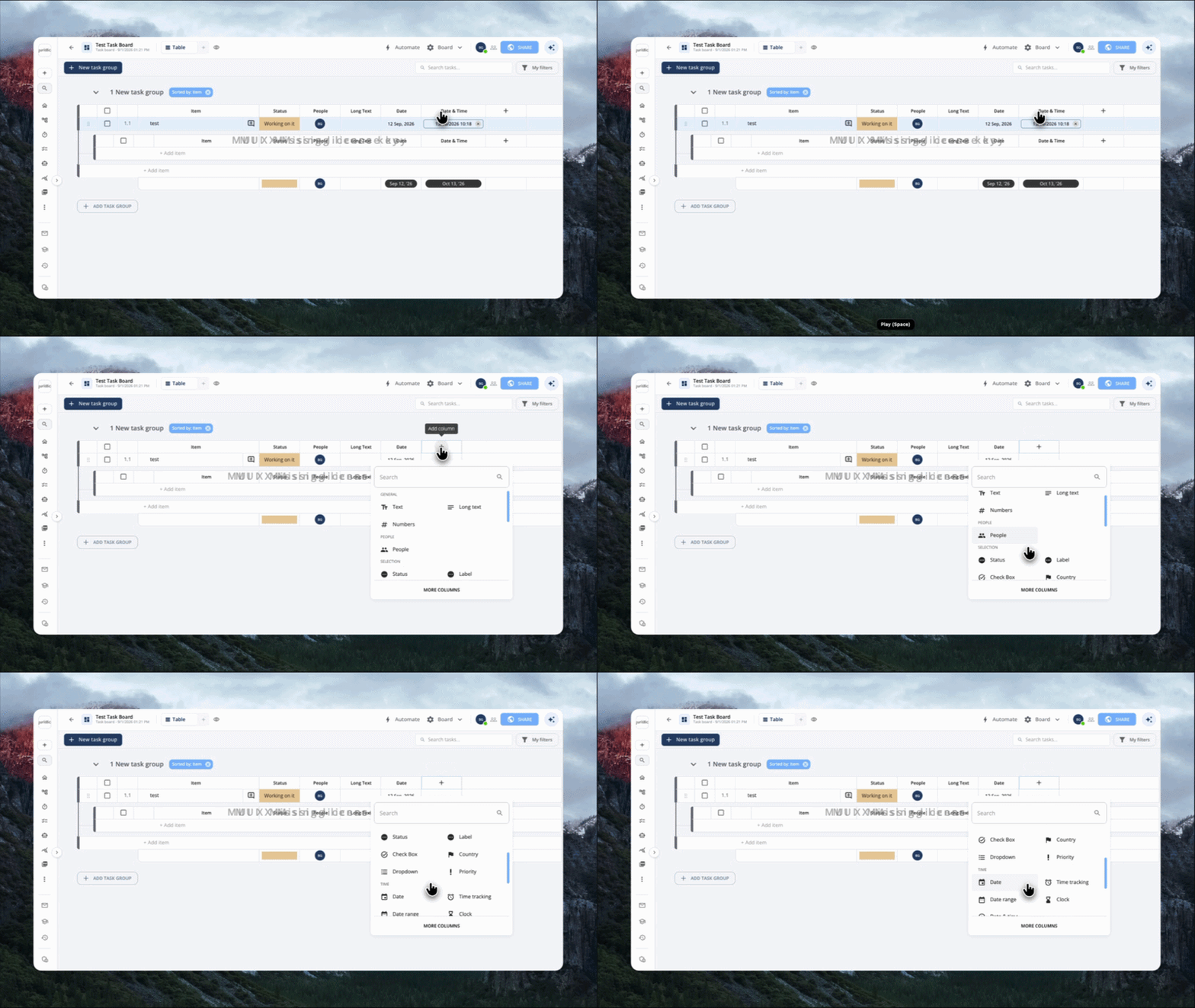
Added a Date & Time column type to task boards. Previously boards only had a plain Date column, which just showed a day with no time-of-day. Now users can add a column that captures both the date and the exact time (shown in each viewer's own local time zone), which is useful for things like meeting times or deadlines rather than just a due date. It works like any other board column; you can edit it, sort by it, filter by it, and roll it up in summaries and any changes made to it now also show up properly in the task's activity history, so teammates can see when a scheduled time was changed and to what.
September 14th, 2026
September 7th, 2026
New
Flow
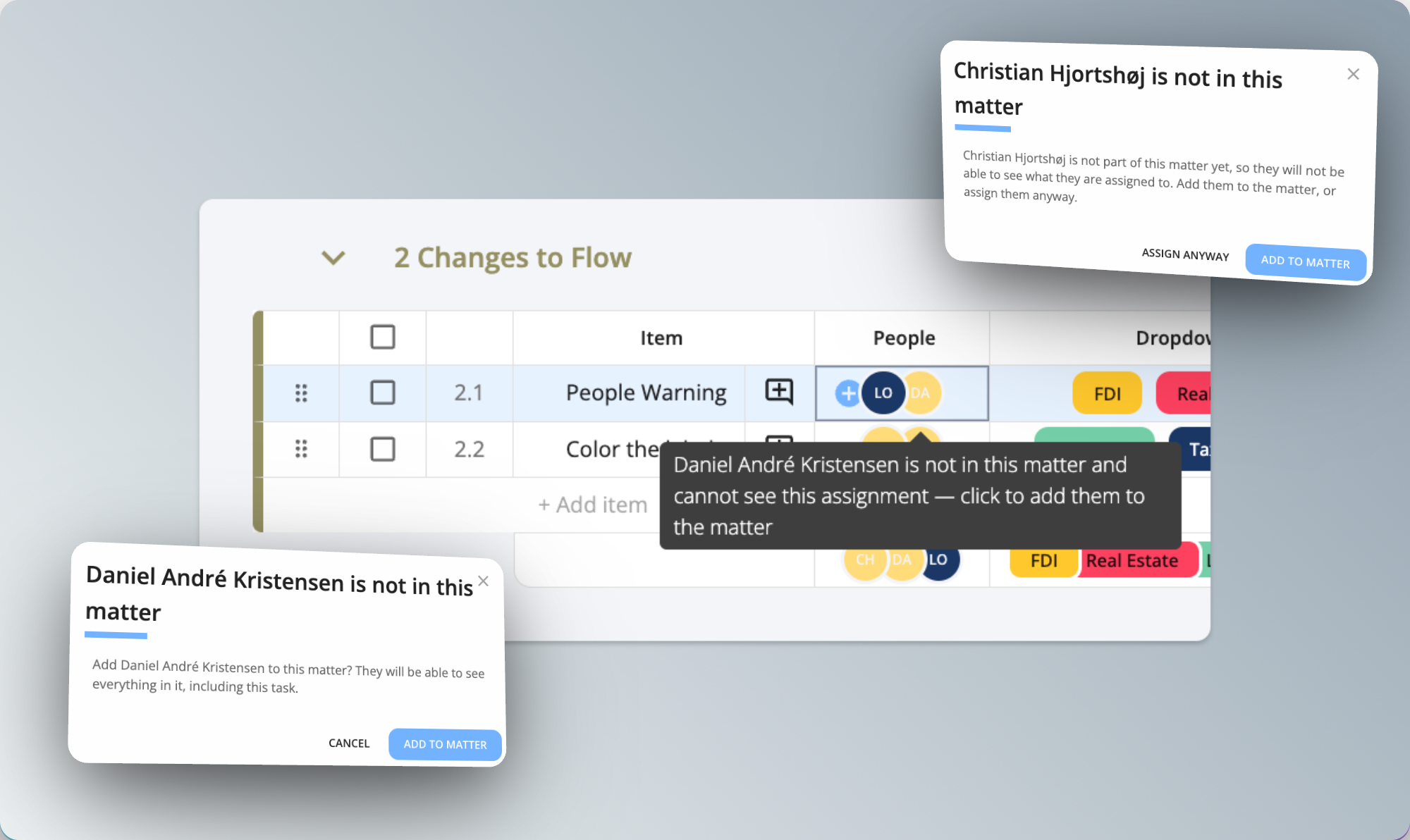
Assigning someone to a task on a flow board used to add them to the matter quietly in the background. Juristic asks first now: add them to the matter, or assign them anyway and deal with access later.
Anyone assigned who isn't in the matter shows up in yellow, so it's obvious they can't actually see the work. Hover to find out why, or click their avatar to add them.
September 7th, 2026
Improved
Platform
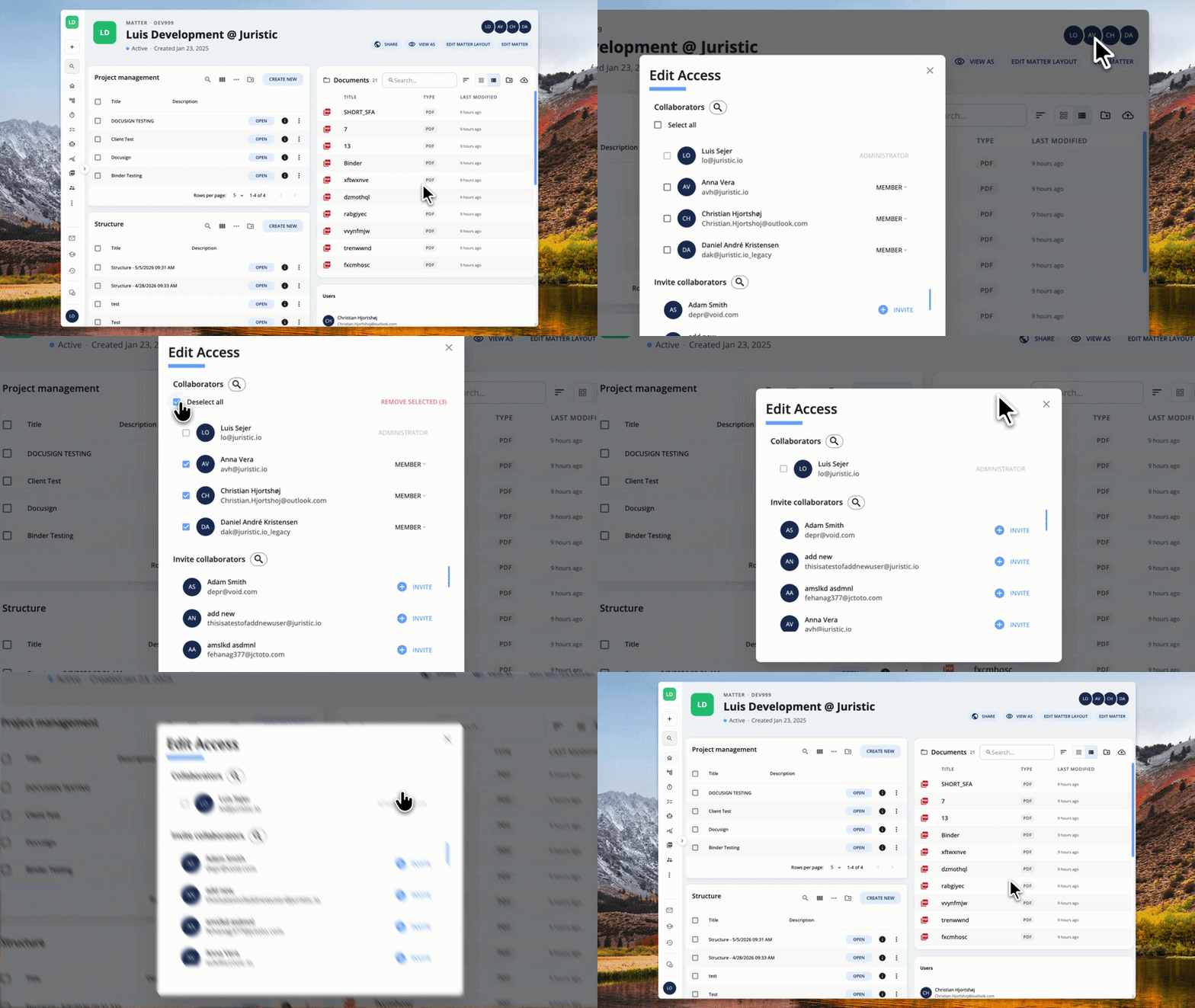
Editing access used to mean opening one person's dropdown, removing them, then doing the same for the next one. There are checkboxes next to everyone in the list now, and a select all at the top, so you can tick whoever should go and remove them in one action.
Select all skips you, and it only picks up the people your search is currently showing.
September 7th, 2026
New
Flow
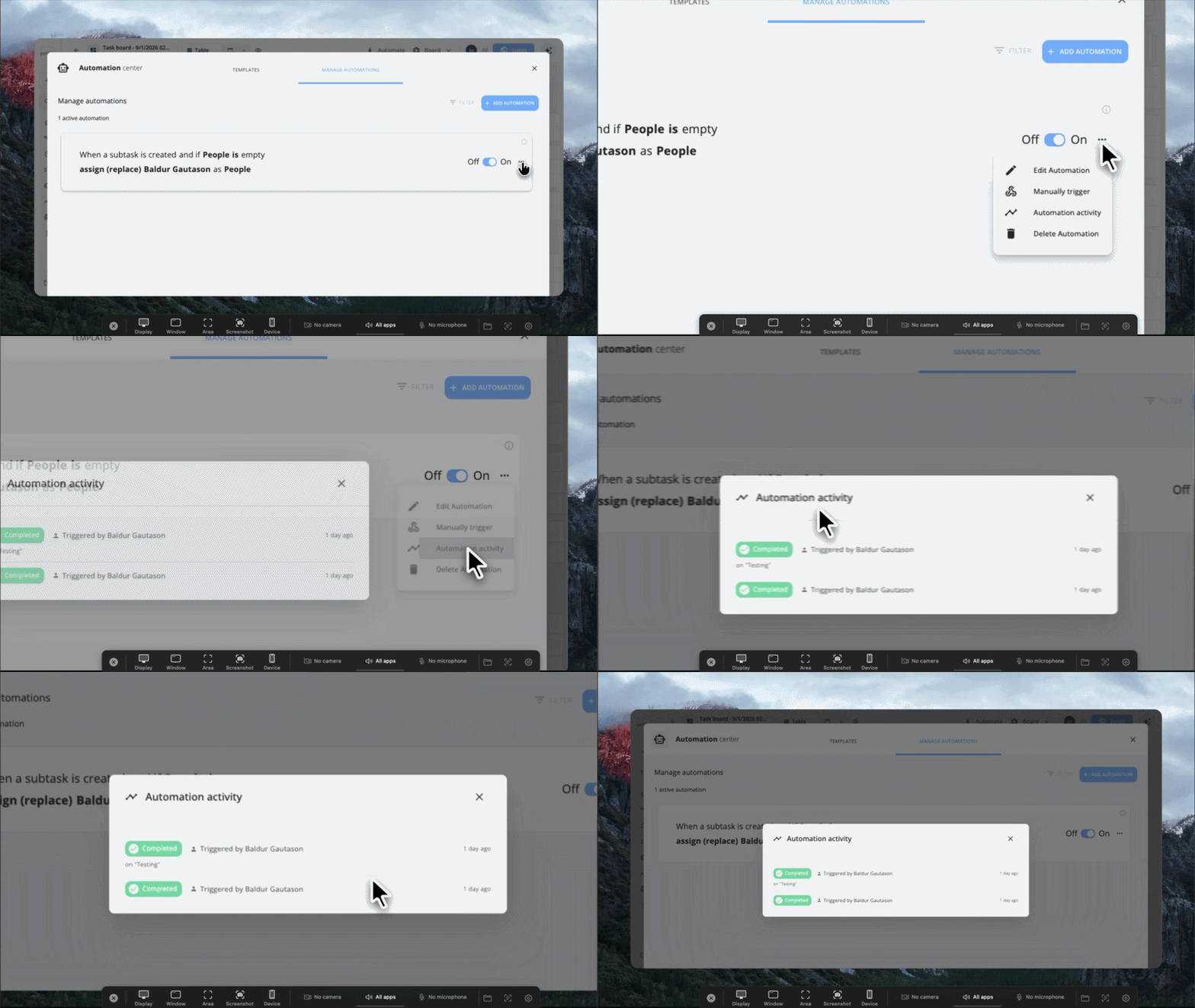
Every board automation now keeps a history of its runs. Open the three-dot menu on an automation and select "Automation activity" to see when it ran, whether it succeeded, and what happened when it failed.
September 7th, 2026
New
Flow
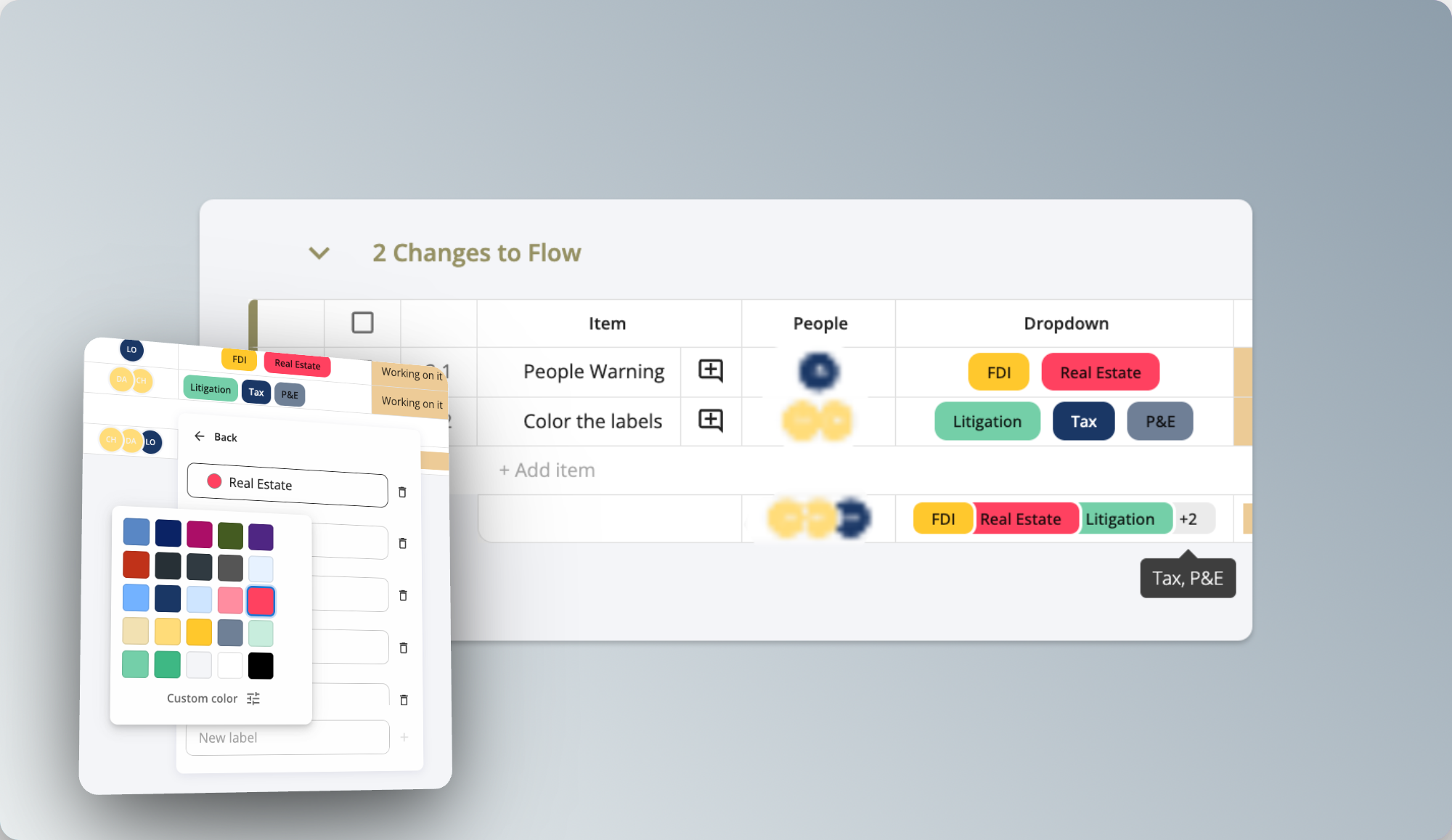
Dropdown options can have their own colour now, the same way status labels do. Open a dropdown cell, go to Edit options, and pick a colour next to any option. Anything you leave alone keeps the grey chip it has today.
The colour follows the option wherever it turns up, including the summary row at the bottom of a group.
September 7th, 2026
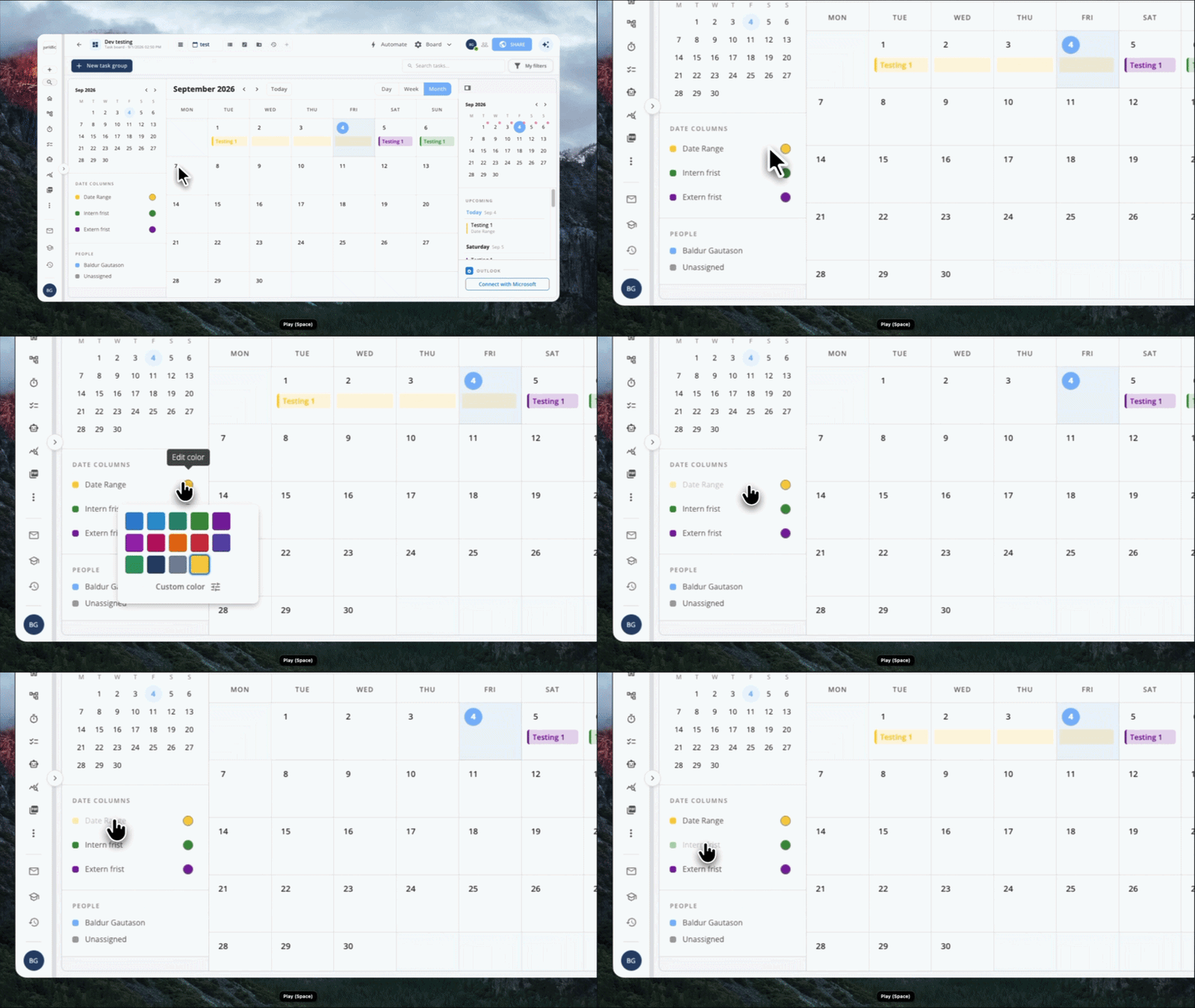
We rebuilt the calendar view so it can show events from multiple date columns at once, not just one, and gave it an Outlook-style layout with a mini month picker and a sidebar legend that lets users toggle and color-code each date column to filter what's shown on the calendar.
August 17th, 2026
New
Flow
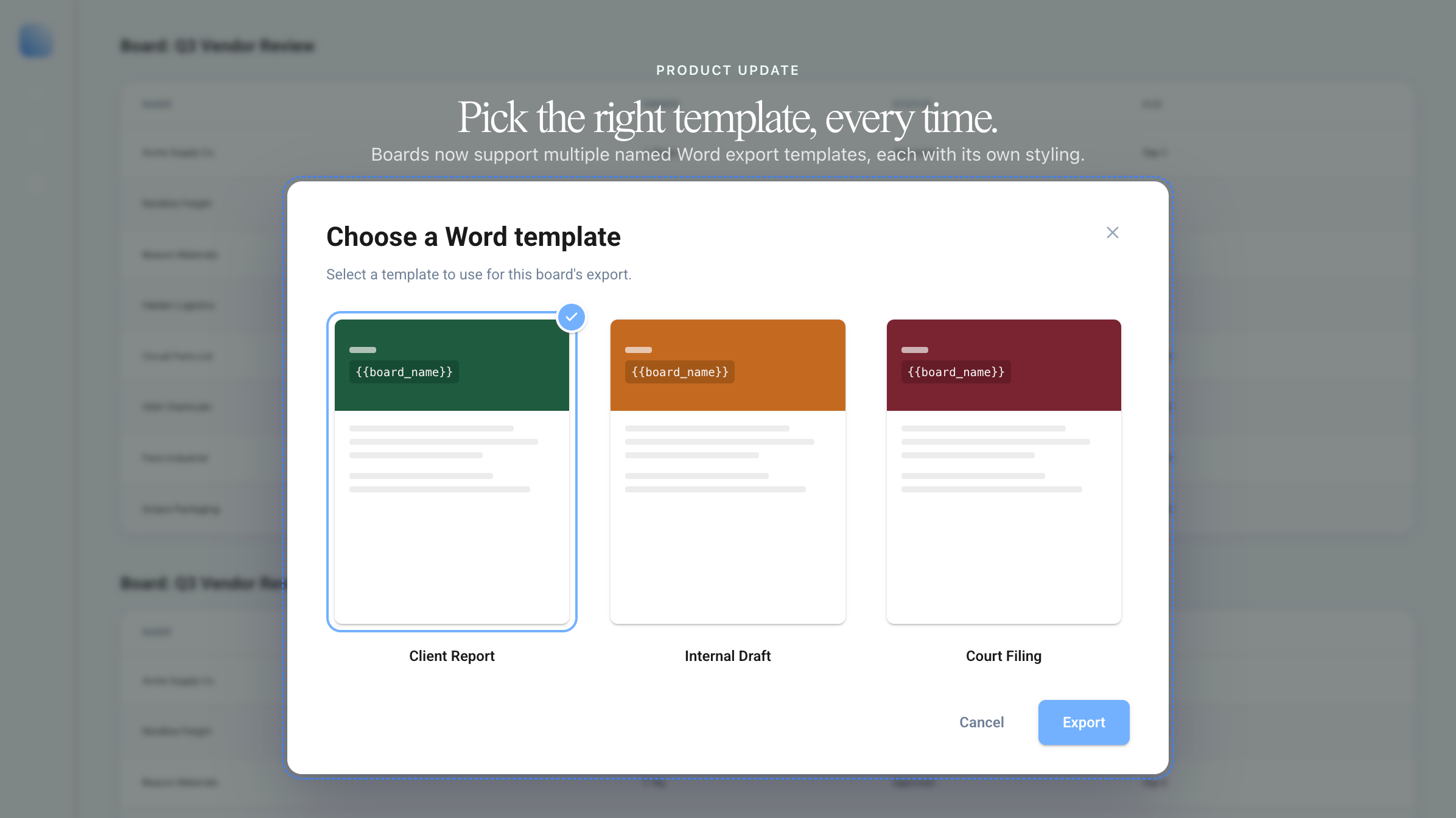
Boards can now hold more than one Word export template. Upload a template for the client-facing report, another for the internal working list, and pick the right one each time you export.
If you only have one template, nothing changes. If you have two or more, you'll get a picker showing a thumbnail of each before the export runs. Custom exports can pin a specific template too, so the same checklist always comes out looking the same.
Manage templates from Admin → Board Export.
August 10th, 2026
New
Structure
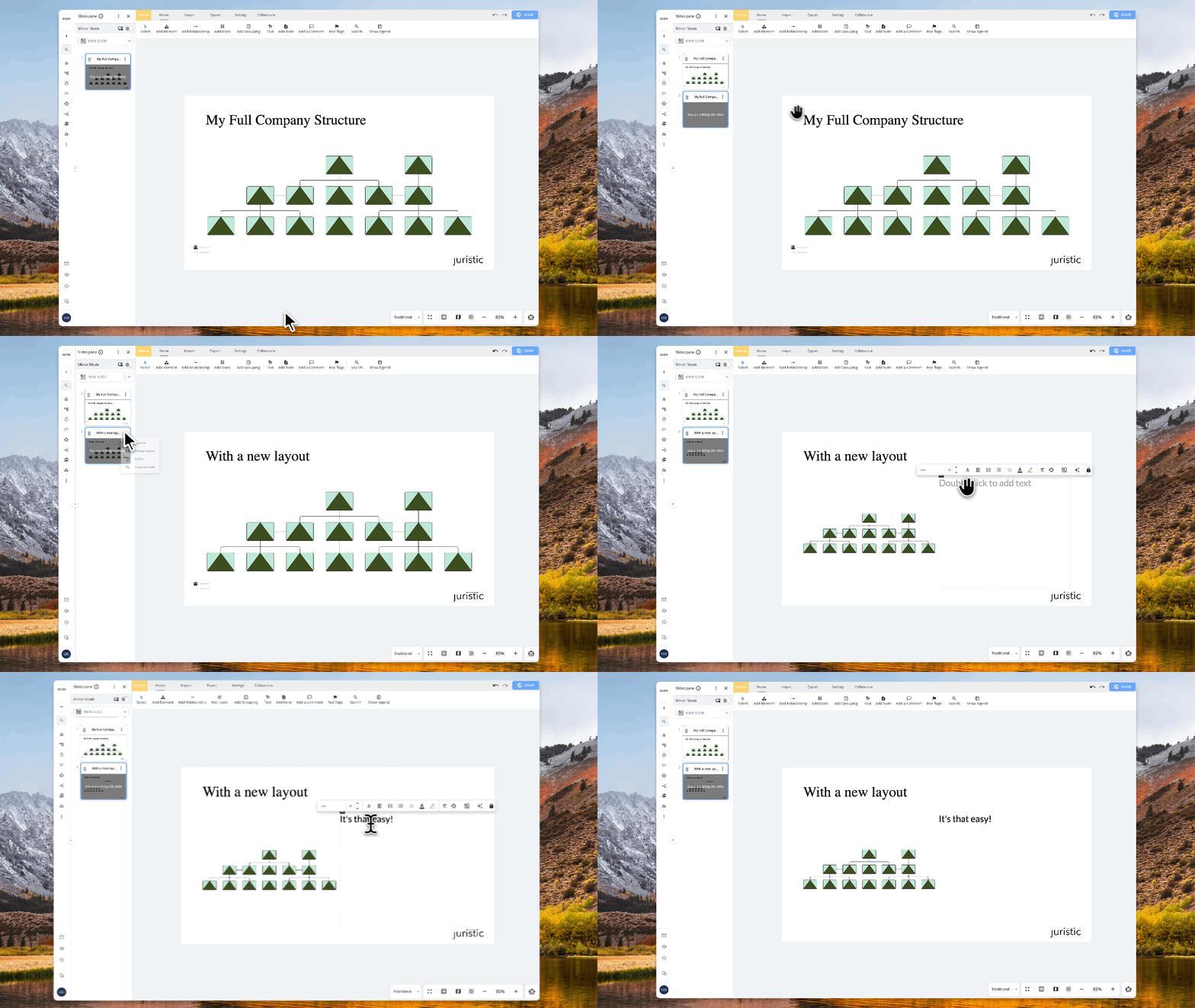
Open a slide's "…" menu and pick Change Layout to switch between Structure, Standard, Double, Table, and more. No need to rebuild the slide.
Diagrams resize and reposition themselves to fit the new layout. If switching would remove something, like an extra text box or a diagram with nowhere to go, you'll see what's at risk before confirming. We also show which layout the slide is on right now, so it's clear why something might disappear.
August 10th, 2026
New
Structure
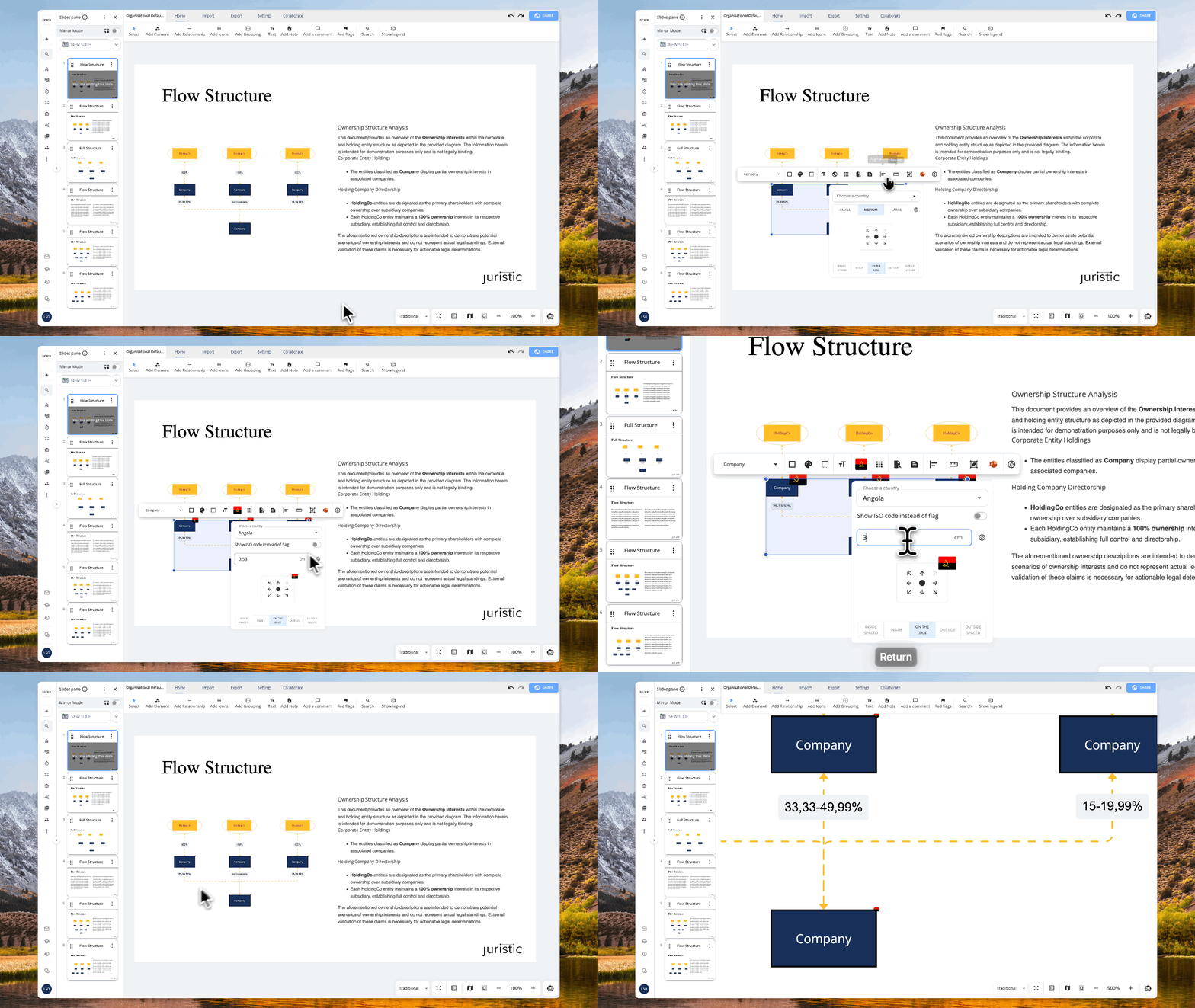
Flags and icons still default to Small, Medium, and Large. You can now switch to an exact size instead, entered in centimetres.
August 10th, 2026
New
Timeline
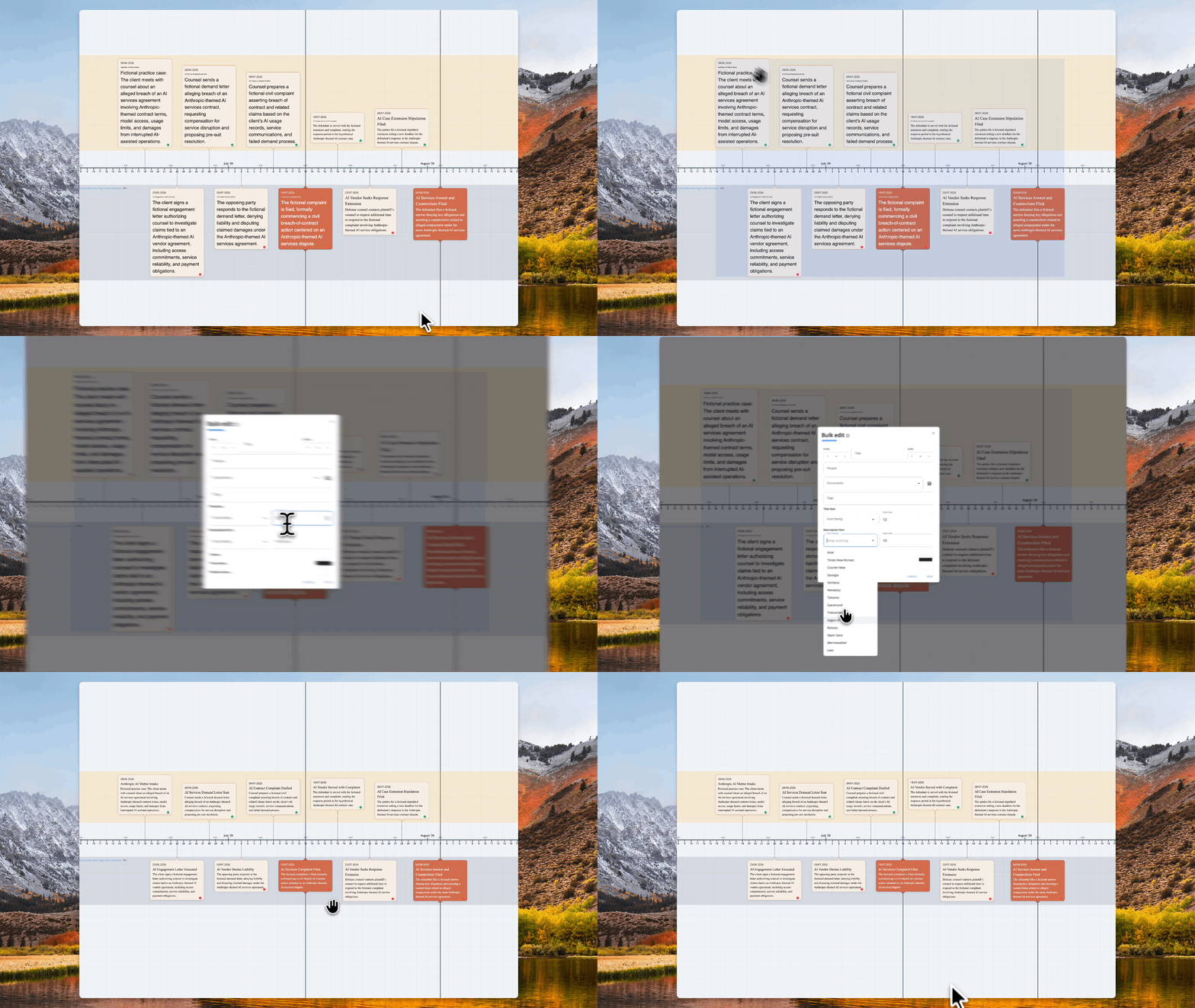
Select multiple events in the timeline table or canvas, then use Bulk Edit to apply one font family and size to all their titles and descriptions. Title and description fonts can be set separately, so you're not locked into matching both.
Useful for aligning timelines with thousands of elements with mixed fonts/colors etc.